Plainville Indoor Sports Arena: one platform for scores, stats, payments and members
A community hockey arena that has been running leagues since 1991 needed its website, scoring, payments and member communication to work together. I built the public website, the admin panel behind it and the newsletter system, all running on the arena's own live data.
Visit the live site: plainvillearena.com ↗
- Next.js and React
- MySQL live data
- PayPal payments
The challenge
The arena's website and admin tool were built on older technology. Players, parents and staff needed more from one system.
For players and parents
Find schedules, scores, standings and personal stats quickly, on a phone, without calling the front desk.
For the front desk
One admin panel to run seasons, divisions, schedules, scores, members, payments and news, instead of juggling separate tools.
For the business
Take payments online, reach the right people by email and see what is working.
What I built
Everything runs on the arena's live database, so a score entered once shows up everywhere.
Live scores and standings
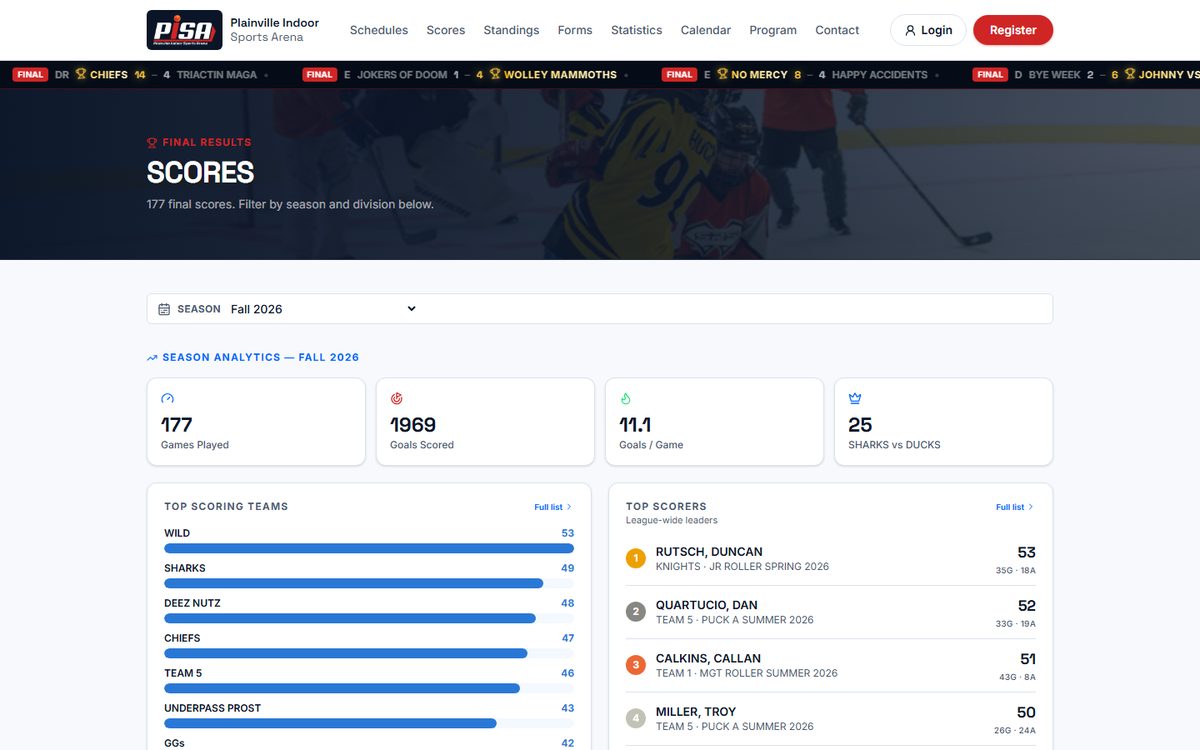
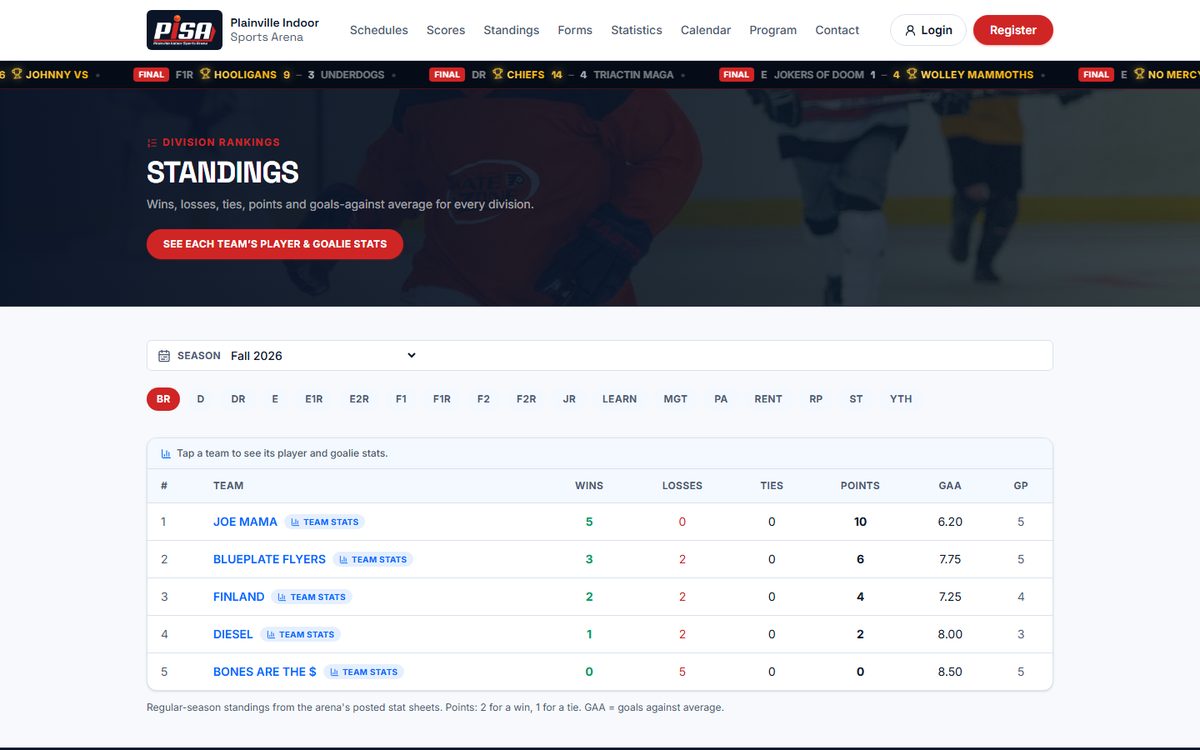
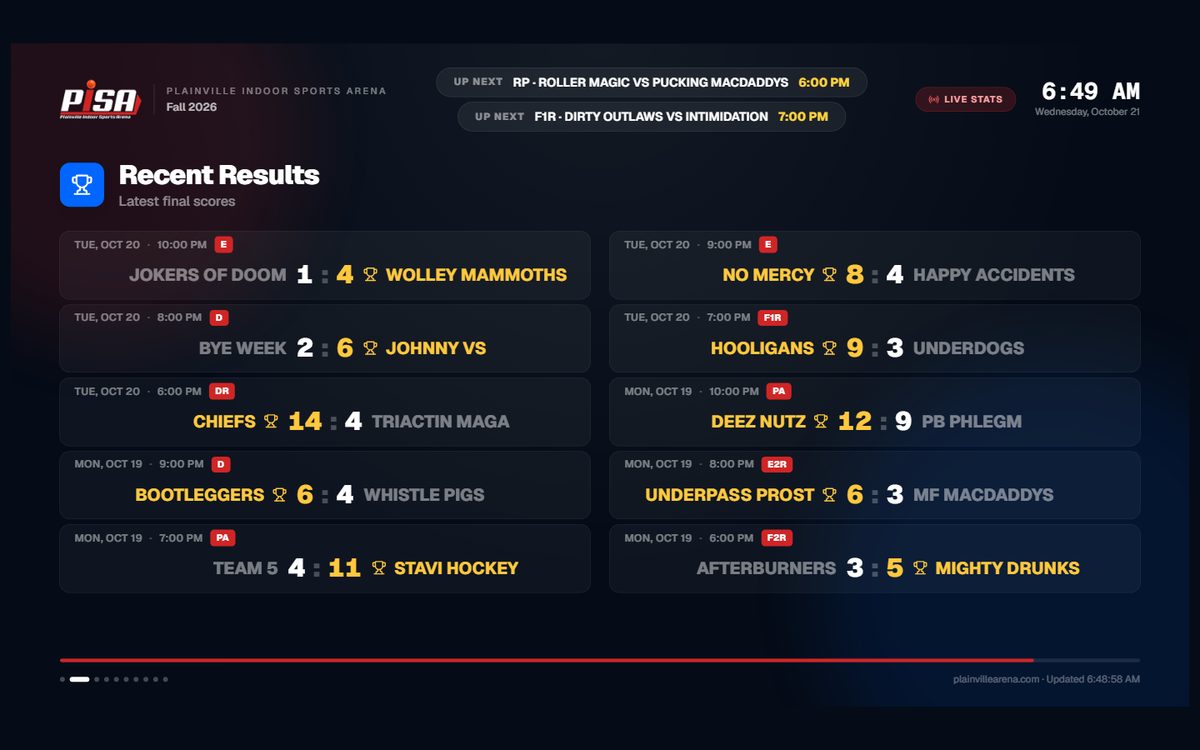
Schedules, final scores and division standings by season, always current. A live status shows games in progress, and an auto-rotating TV scoreboard runs on the rink screens.
Player and team stats
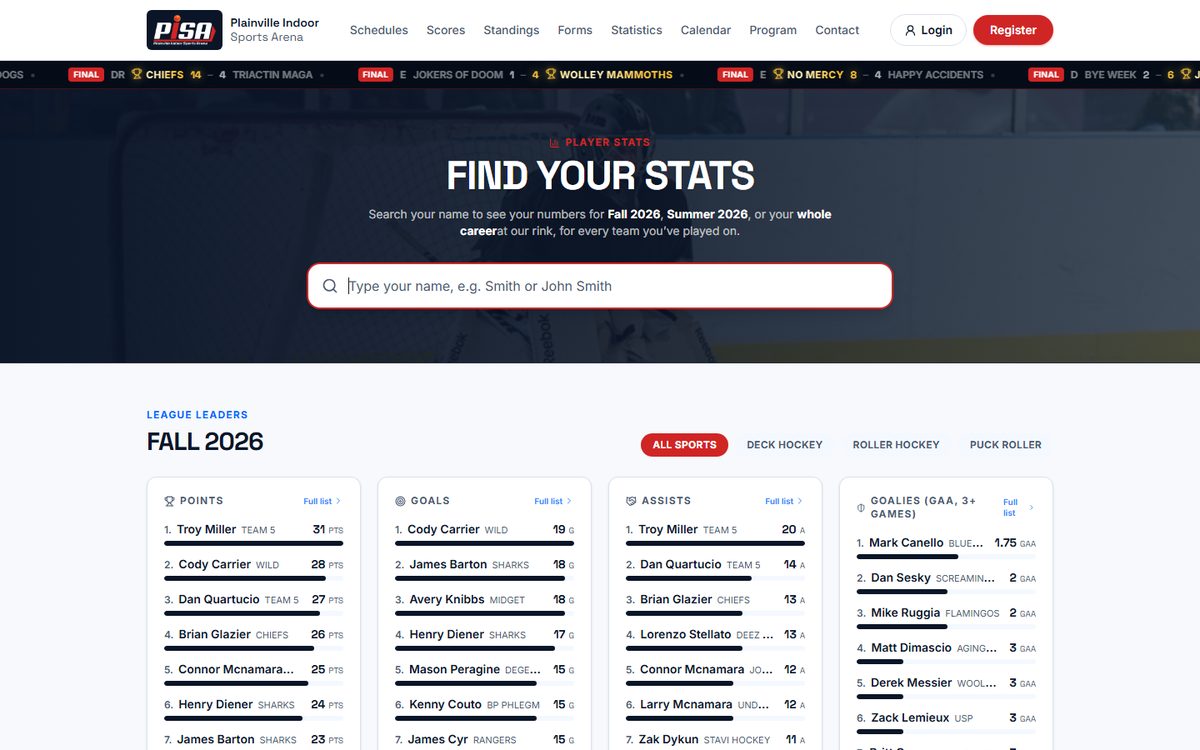
Searchable player pages, league leaders, team stats and season insights, with stat history loaded from 2009 onward.
Online payments
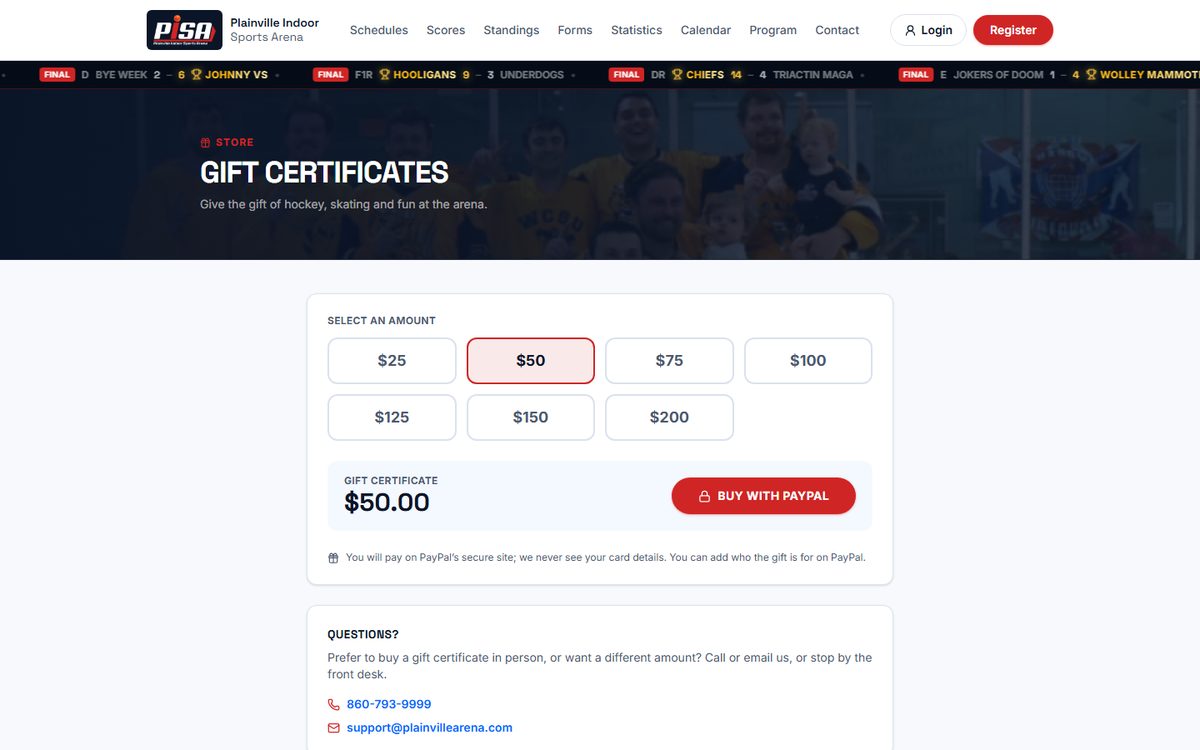
Members pay team and league fees online through PayPal and see their payment history. Gift certificates are sold online as well.
Member accounts
Adult and minor registration with waiver, member login, profile editing, payment history and a personal player calendar.
Newsletters and campaign analytics
Send to all members, adults, minors (via parents), free agents or specific seasons. Schedule sends, stay within an hourly sending limit and see who opened and clicked.
Admin panel
One secure panel for seasons, divisions, schedules, scores and stats entry, members, free agents, payments, news, gallery, programs, newsletters and site traffic.
Schedule builder
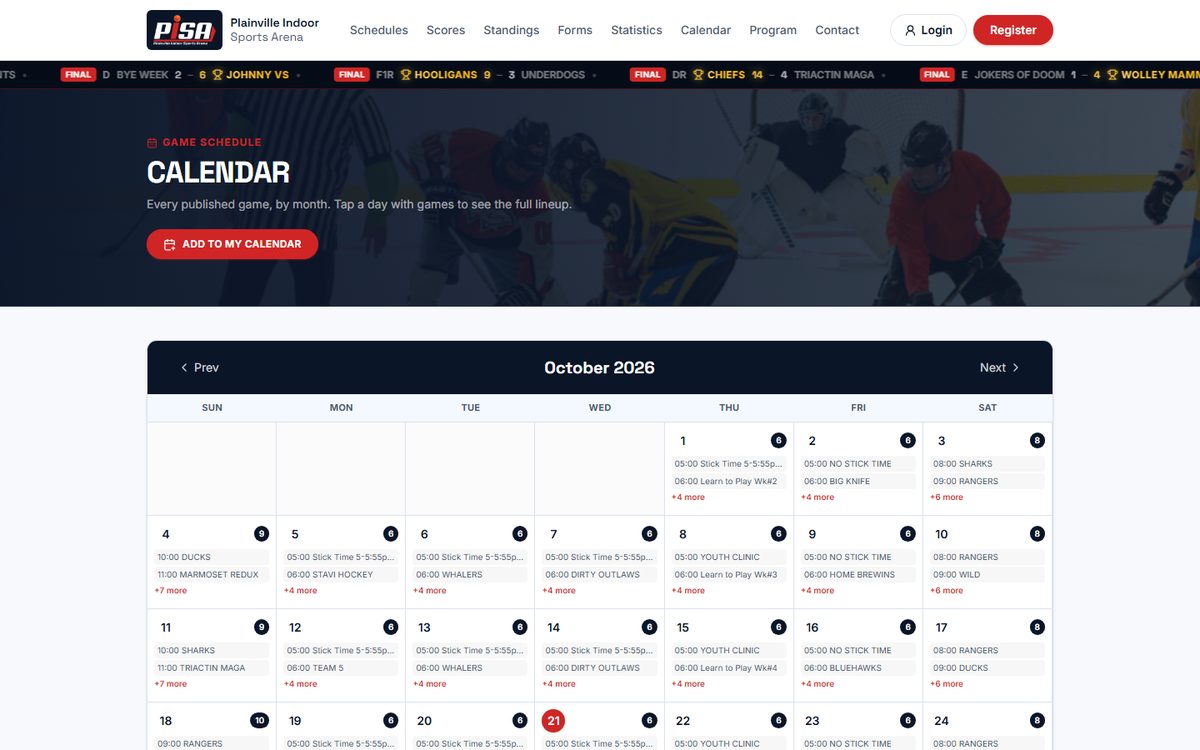
Seasons, divisions, weekly slots, skipped dates and bye weeks combine into one master schedule that feeds the website, scores, rink TV and printed lists.
Scoring on the iPad
Scorers use a simple, restricted login. Update Score takes seconds per game, and a touch-friendly game-by-game screen for goals, assists and penalties is in preview. No paper score sheets to copy out.
The hardest part: building the schedule
Every season is a puzzle of combinations. A season holds nearly twenty divisions, and each division has its own teams, start date, number of weeks, weekly playing slots (day, time and rink) and skipped holiday dates, with bye weeks when teams are uneven. Every game is one combination of season, division, team pairing, date and slot, and the arena runs 6 to 10 sessions and games every day across all divisions. The platform keeps it consistent: each division's schedule is combined into one master schedule per season, sorted correctly around the noon AM/PM edge case, filterable by rink, printable per division or location, and linked to scores and standings.
- Rules are set per division, so a division can start late, run fewer weeks or skip a holiday without touching the others.
- Bye weeks and blank rows are handled, so master lists and printouts stay clean.
- The same data drives the calendar, the scoreboard, the standings and the printed schedules.
Scoring at the rink, on an iPad
Scorers have their own restricted login that shows only three things: the season calendar, Update Score and Game-by-Game Stats Entry. Both tools are designed for an iPad at the scorer’s table: big buttons, one job per screen, and nothing to type that can be tapped. Results are entered once, where the game happens, so there are no paper score sheets to copy out later.
Update Score
In use- One button in the top bar of every screen, so a score is never more than a tap away.
- Shows the day’s games grouped by league. Type the two scores for each game.
- One Modify button saves the whole night at once.
- The website, standings and rink TV pick the new scores up within about a minute.
Game-by-Game Stats Entry
iPad preview- Pick the day, the division and the game. Each team has big Goal and Penalty buttons.
- A goal takes a scorer, up to two assists and a power-play, short-handed or empty-net tag. A penalty takes a player and minutes.
- Shots on goal and goalie shots and goals against are simple steppers. Wins, losses and ties are worked out from the score.
- Every event goes into a log with Undo, and the draft saves itself on the iPad.
Preview: drafts stay on the iPad. Sending final stats into the system is the next step.
F2
F1
E1R
F2
Update Score: quick results for every game of the night
Game-by-Game Stats Entry: tap Goal or Penalty, then the player
Illustration of the scorer’s iPad screens. Team names and scores are examples.
A look inside
Screenshots of the live public pages. The admin panel and member data are private.
Built with
A modern stack that is fast, secure and easy to extend.
What the arena gets today
- One system instead of several separate tools
- Scorers enter results on an iPad at the rink, with no paper score sheets to copy out later
- Scores entered once appear on the website, standings and rink TV
- Members register, pay and update their details themselves
- Newsletters sent to the right group, on schedule, with open and click reports
- Fast pages that work on phones
- A secure admin panel the staff can run without a developer
Want something like this?
Tell me about your project and book a free call.